
Office Chair Ergonomics Matcher
Your Profile
Your Ideal Match
Recommended Features
Material Recommendation
Tip: Always test the chair for at least 15 minutes in-store or ensure a generous return policy if buying online.
Ready to Find Your Chair?
Fill out your profile on the left to get personalized ergonomic recommendations based on your body and habits.
You spend eight hours a day sitting. Maybe ten. If you’re working from home or in an open-plan office, that office chair is doing more for your back-or against it-than any other piece of furniture in your life. Yet most people buy one based on how it looks in photos or because it was the cheapest option at the local store. That’s a mistake that costs you in spinal health and productivity.
Choosing the right seat isn’t about finding the most expensive leather throne. It’s about matching mechanical adjustability to your specific body dimensions and work habits. Let’s break down exactly what matters, cut through the marketing fluff, and help you pick a chair that won’t make you wince by 3 PM.
The Core Problem: One Size Fits None
Your spine has natural curves. When you sit poorly, those curves flatten or exaggerate, putting pressure on discs and muscles. A good chair supports these curves dynamically as you move. Static chairs-like dining chairs or cheap plastic task stools-force your body into a single position. Over time, this leads to stiffness and pain.
The primary job of an ergonomic chair is to reduce static load. You need a chair that moves with you, not one that traps you. This means looking beyond aesthetics to functionality. Can it tilt? Does the backrest follow your spine’s S-curve? Can the armrests stop shrugging your shoulders up to your ears?
Lumbar Support: The Non-Negotiable Feature
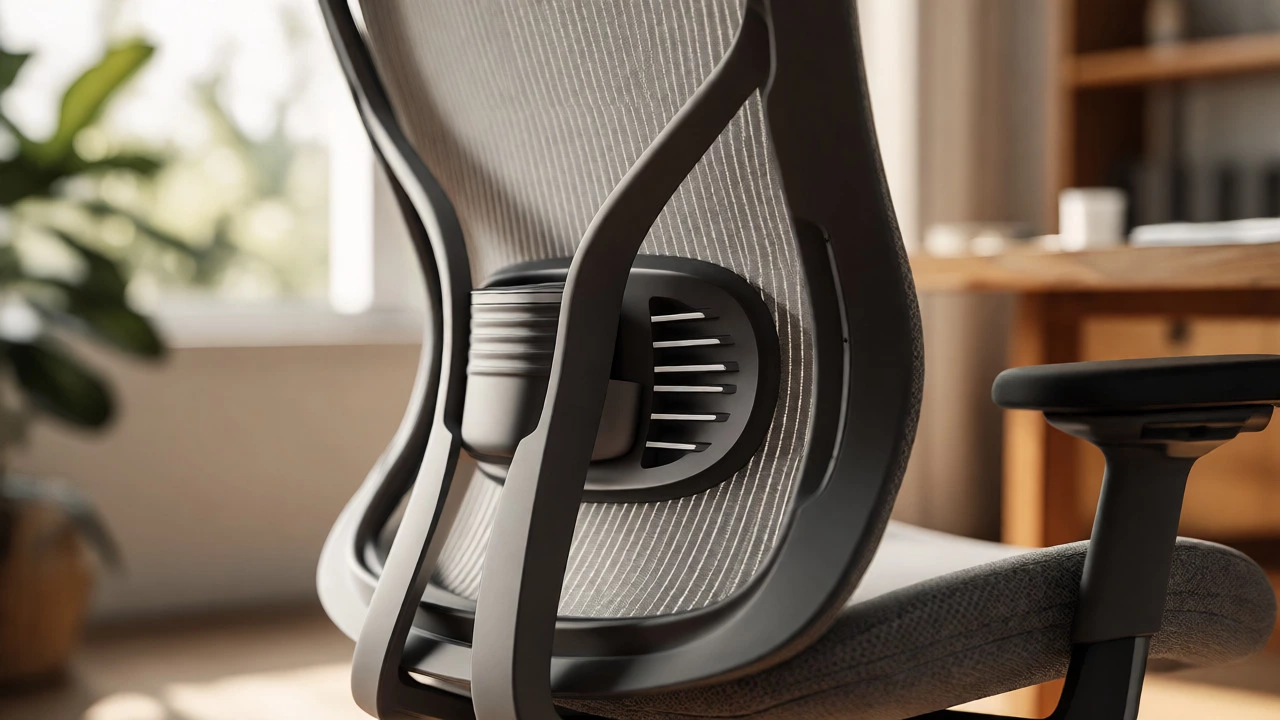
If a chair lacks proper lower back support, walk away. Lumbar support fills the gap between your lower spine and the backrest, maintaining the natural inward curve (lordosis). Without it, your pelvis tilts backward, rounding your spine and straining your lower back muscles.
Look for two types of adjustment:
- Height Adjustment: The support pad should slide up and down so it hits your actual lower back, not your shoulder blades or tailbone.
- Depth/Tension Adjustment: Some high-end chairs let you change how far the support protrudes. If you have a flat back, you might need less; if you have a pronounced curve, you need more.
A common pitfall is buying a chair with fixed lumbar support that sits too high. You end up pushing your chest out unnaturally just to get relief. Always test this. Sit all the way back. Place your hand behind your lower back. There should be a snug fit, not a gaping hole or excessive pressure point.
Seat Depth and Width: Fit Matters More Than Padding
Many people ignore seat depth, but it’s critical. If the seat is too deep, the front edge presses against the back of your knees, cutting off circulation and causing numbness. If it’s too shallow, your thighs aren’t supported, forcing your hamstrings to do all the work.
Here’s the rule of thumb: When seated with your back against the rest, you should be able to fit three fingers vertically between the front edge of the seat and the back of your knee. Most quality chairs offer a seat slider mechanism to adjust this depth. If you’re shorter than 5’4" or taller than 6’2", prioritize chairs with this feature.
Width is simpler. You need enough room to shift positions without feeling cramped. However, avoid seats that are excessively wide unless you plan to sit cross-legged frequently. Too much width can force you to slouch toward the center to reach your desk.
Adjustable Armrests: Stop Shrugging Your Shoulders
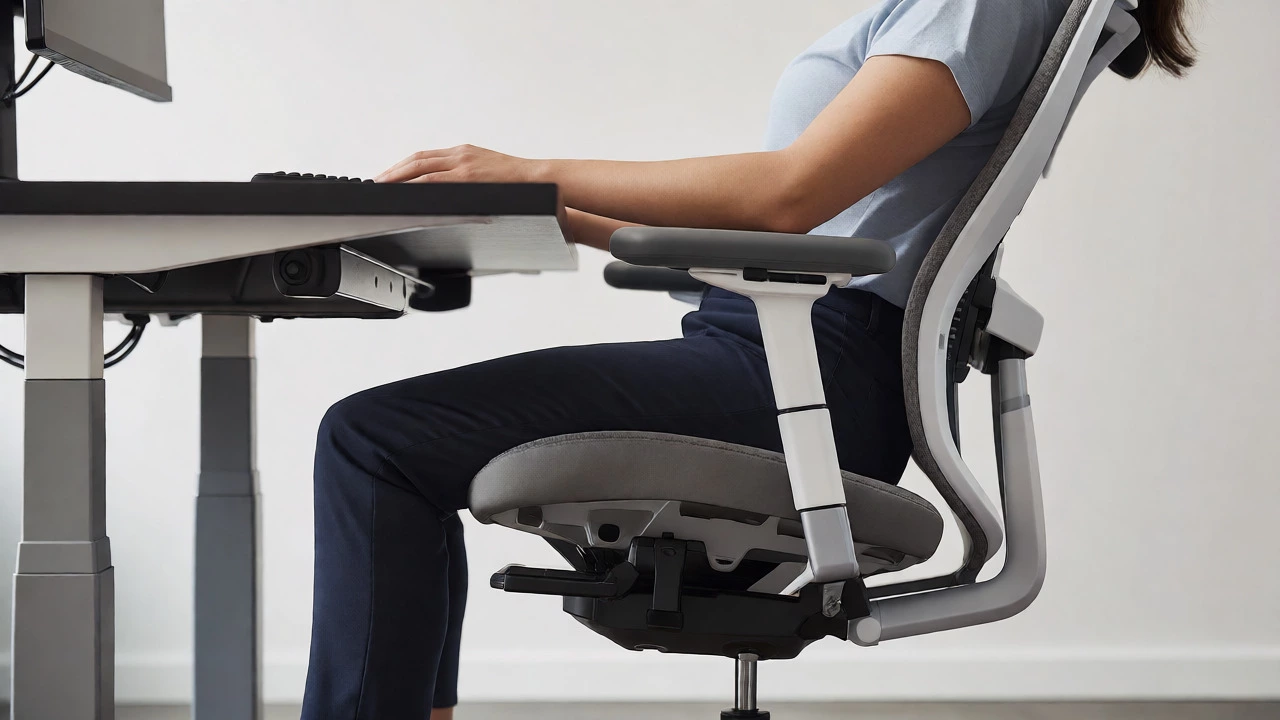
Armrests serve one purpose: taking weight off your shoulders and neck while typing or reading. If they’re set too high, your shoulders hike up, leading to tension headaches. Too low, and you lean sideways, twisting your spine.
Ideal armrests are 4D adjustable (up/down, forward/back, left/right, pivot). But even 2D (height and width) is better than fixed ones. Fixed armrests are often incompatible with standard desk heights. If your desk is 29 inches high and the armrests are 27 inches, you can’t roll under the desk. Check the clearance before buying.
Material Choices: Mesh vs. Foam vs. Leather
This choice depends entirely on your climate and preference. There is no "best" material, only trade-offs.
| Material | Best For | Pros | Cons |
|---|---|---|---|
| Mesh | Hot climates, active sitters | Breathable, lightweight, conforms to shape | Can sag over time, less cushioning |
| Memory Foam | Long stationary sessions | Pressure relief, contouring comfort | Traps heat, retains body heat |
| Leather/Vinyl | Executive settings, durability | Durable, easy to clean, professional look | Non-breathable, slippery, cracks over time |
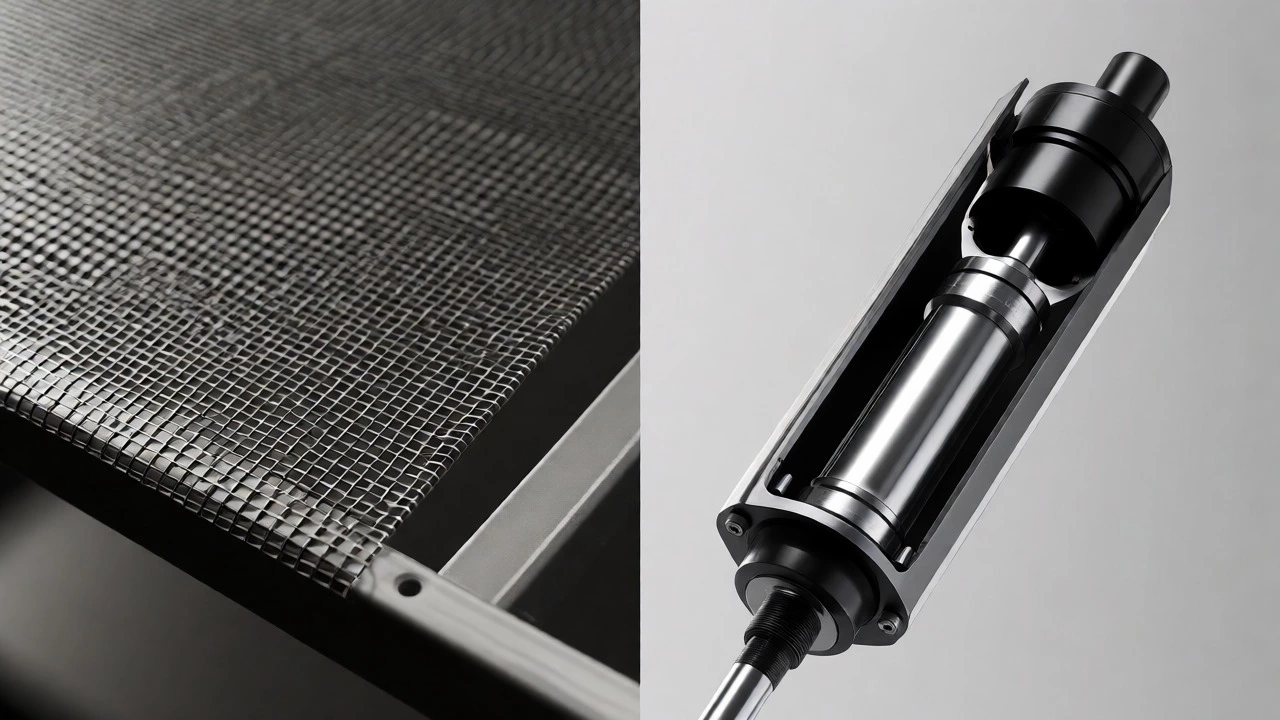
Mesh backs are popular because they promote airflow. If you run hot or live in a humid area, mesh is usually the smarter bet. However, ensure the mesh is high-quality. Cheap polyester mesh stretches out after six months, leaving you sitting on the frame. Look for reinforced polymer mesh.
Mechanisms: Synchro-Tilt vs. Basic Tilt
Not all reclining mechanisms are created equal. A basic tilt locks the seat and back at the same angle. If you recline, your feet lift off the floor. This is bad for long-term posture.
A synchro-tilt mechanism moves the backrest and seat pan at different rates (usually 2:1 ratio). As you lean back, the seat opens slightly, keeping your feet planted and your eyes level with your screen. This allows for dynamic sitting, which keeps blood flowing and reduces fatigue. If you plan to recline often, pay extra for synchro-tilt.
Budget Reality: What Do You Actually Get?
You don’t need a $1,000 Herman Miller to be comfortable, but you do need certain features. Here’s a realistic breakdown for 2026 pricing:
- Under $150: Expect limited adjustments. Usually height-only. No lumbar adjustment. Fine for occasional use, risky for 8-hour days.
- $150-$400: The sweet spot for many. You’ll find adjustable lumbar, decent foam, and maybe basic armrest adjustments. Brands like Staples Basics or entry-level Steelcase Leap clones live here.
- $400-$800: High-end ergonomics. Full 4D armrests, synchro-tilt, premium materials, and robust warranties (often 10+ years). This is where brands like Herman Miller, Humanscale, and Secretlab compete.
Remember, you can often find refurbished high-end chairs for half price. Companies lease these to offices and return them after 3-5 years. They’re often barely used and come with a new warranty. Check reputable refurbishers rather than random eBay sellers.
Testing Before Buying: The 15-Minute Rule
If you’re buying online, check the return policy. If you’re in-store, sit in the chair for at least 15 minutes. Don’t just bounce once. Simulate your workday:
- Sit upright, type on a keyboard (or pretend).
- Recline slightly to read.
- Shift your weight side to side.
- Stand up and sit back down repeatedly.
Pay attention to pressure points. Do your hips feel pinched? Is there pressure on your tailbone? Does the backrest dig into your shoulder blades? Discomfort within 15 minutes will likely worsen after 15 weeks.
Is a headrest necessary for an office chair?
No, not strictly. Headrests are useful if you recline significantly or suffer from neck strain. However, if you sit upright most of the time, a headrest can push your head forward, causing "forward head posture." Many ergonomic experts recommend skipping the headrest unless you specifically need neck support during breaks.
How long should an office chair last?
A high-quality ergonomic chair should last 7-12 years with daily use. Cheaper models ($100 range) may fail in 2-3 years due to gas cylinder leaks or foam degradation. Check for BIFMA certification standards, which indicate durability testing for commercial use.
Are gaming chairs good for office work?
Generally, no. Gaming chairs are styled after racing car seats, which encourage a hunched, aggressive posture. They often lack proper lumbar curvature and use dense foam that doesn't breathe well. While some modern hybrid models are improving, traditional ergonomic office chairs usually offer better postural support for desk work.
What is the correct seat height?
Your feet should be flat on the floor, and your knees should be at or slightly below hip level. If your feet dangle, use a footrest. If your knees are higher than your hips, raise the seat or lower the desk. Proper alignment prevents lower back compression.
Do I need a chair with wheels?
Yes, for most office setups. Wheels allow you to reach different parts of your desk without twisting your spine. Use hard-floor casters for carpet and soft-wheel casters for hardwood or tile to prevent scratching and rolling resistance.
Write a comment