
Office Posture Checker
Check your sitting posture against ergonomic guidelines. Answer 5 simple questions about your current setup to identify areas for improvement.
Most people spend over 8 hours a day sitting in an office chair. And yet, nearly 80% of those people experience lower back pain, neck stiffness, or shoulder tension by the end of the week. It’s not the chair’s fault-it’s how you’re sitting in it. The healthiest way to sit isn’t about buying the most expensive office chair. It’s about understanding your body’s natural alignment and adjusting your setup to match it.
Your spine isn’t meant to be slumped
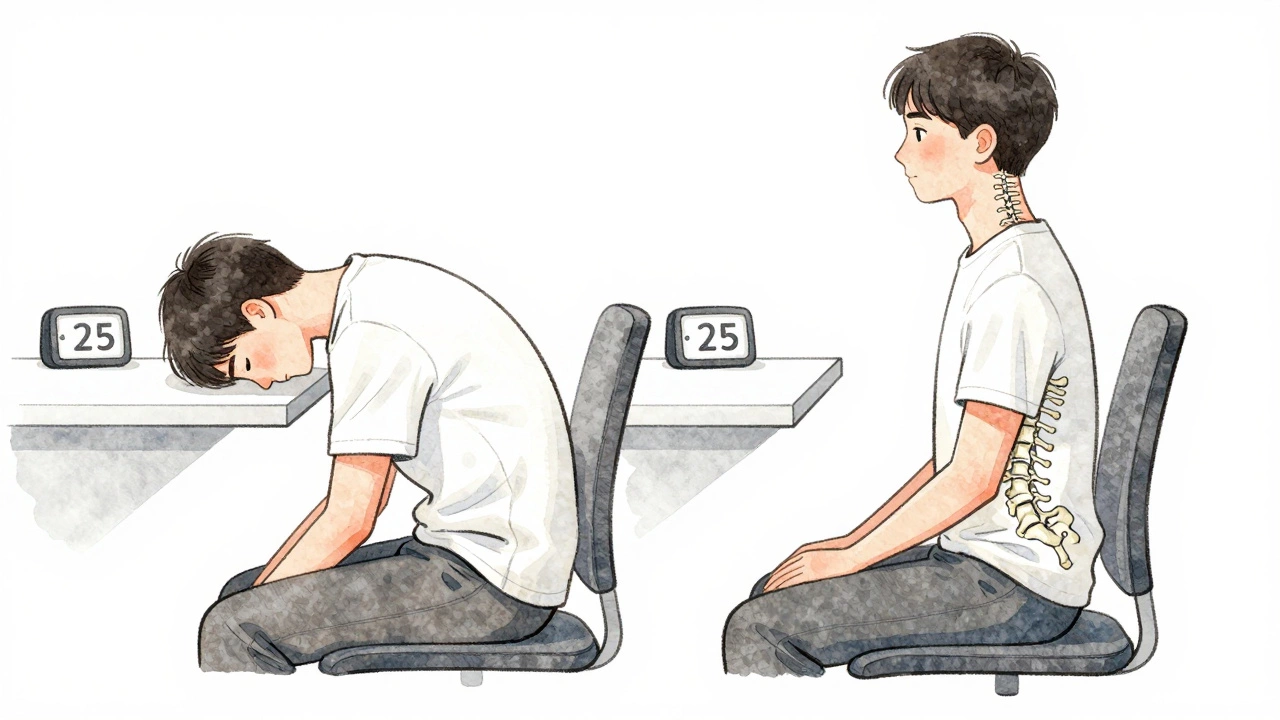
Your spine has three natural curves: a slight inward curve in the neck, an outward curve in the upper back, and an inward curve in the lower back. When you slouch, you flatten those curves. That puts pressure on your spinal discs, strains your muscles, and compresses your nerves. Sitting with a rounded back might feel comfortable at first, but it’s like holding a bent paperclip for hours-it eventually breaks.
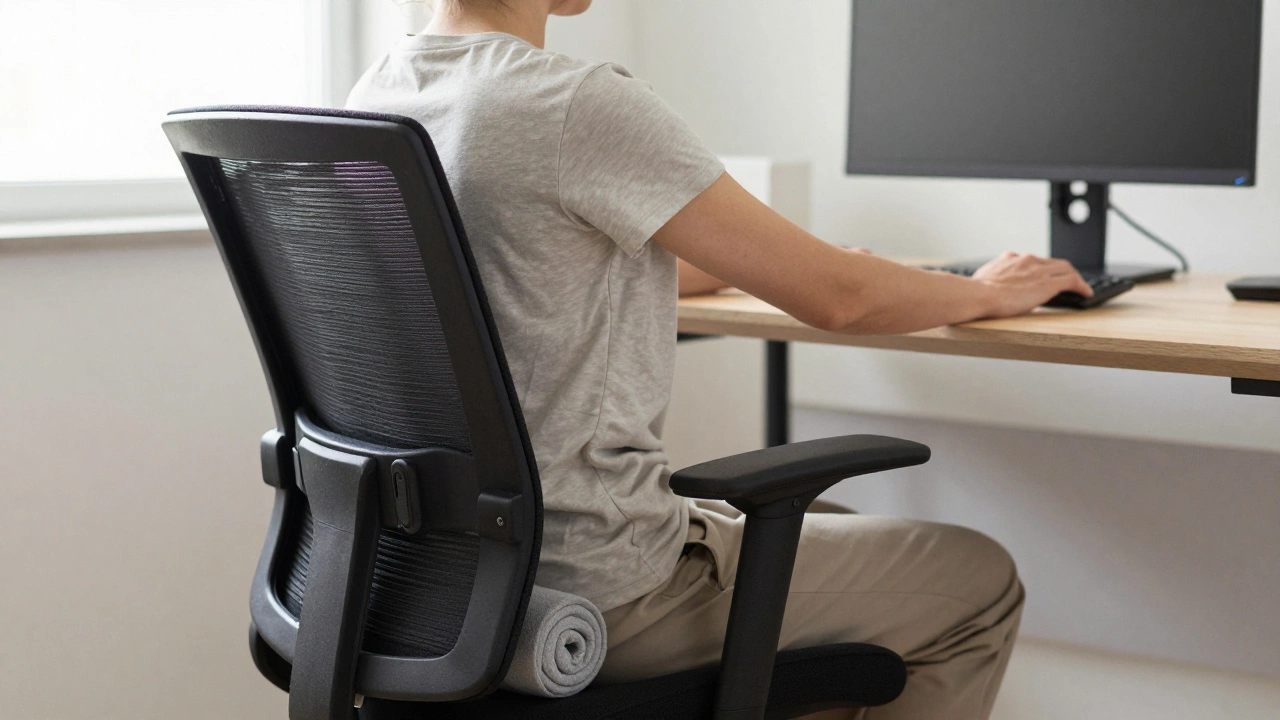
The goal isn’t to sit perfectly straight like a soldier. It’s to support your spine’s natural shape. That means letting your lower back have a gentle curve. Most office chairs don’t provide this automatically. That’s why you need lumbar support. If your chair doesn’t have built-in lumbar padding, use a rolled-up towel or a small cushion placed right above your belt line. That small adjustment alone can reduce lower back strain by up to 40%, according to a 2023 study from the Journal of Occupational Health.
Feet flat, knees at 90 degrees
Where you put your feet matters more than you think. If your feet dangle, your pelvis tilts backward. That flattens your lower back and forces your upper body to lean forward to reach your desk. This creates a chain reaction: your shoulders hunch, your neck juts out, and your eyes strain to see the screen.
Keep your feet flat on the floor. If your chair is too high for your desk, get a footrest. A simple, adjustable footrest costs under $20 and can fix posture problems that expensive chairs can’t. Your knees should be at the same height as your hips-or slightly lower. This opens up your hip angle and reduces pressure on your lower spine. If your knees are higher than your hips, you’re putting extra load on your discs.
Elbows, wrists, and screen height
Your arms shouldn’t be hanging like dead weights. When seated properly, your elbows should rest at a 90-degree angle, close to your sides. Your forearms should be parallel to the floor. If your desk is too high, you’ll shrug your shoulders. Too low, and you’ll lean forward. Both lead to tension in the neck and upper back.
Your computer screen needs to be at eye level. Not “eye level” as in the top of the monitor. The top of the screen should be at or just below eye level. That way, you’re looking straight ahead or slightly down-not craning your neck. If you’re using a laptop, you’re probably looking down at a 30-degree angle. That’s not sustainable. Get a laptop stand and an external keyboard. Even a stack of books under your laptop can help. A 2024 ergonomic survey found that 68% of remote workers improved their neck pain within two weeks of raising their screen.
Move before you feel pain
There’s no such thing as a perfect sitting position. Your body needs movement. Sitting still for more than 30 minutes increases stiffness and reduces blood flow to your muscles and discs. The best posture is the one that changes.
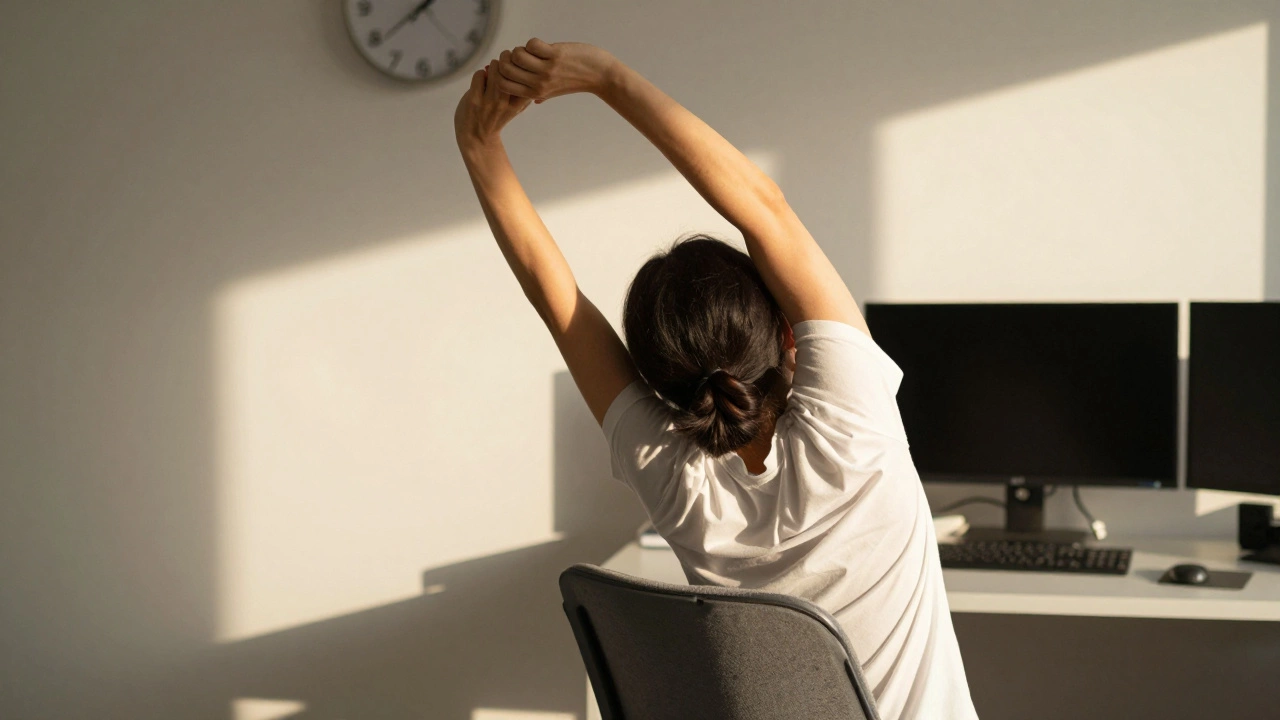
Set a timer. Every 25 to 30 minutes, stand up. Walk to the water cooler. Stretch your arms overhead. Roll your shoulders back. Do a quick hip hinge-lean forward from your hips, let your hands hang, then slowly roll back up. These aren’t exercises. They’re resets. They take 30 seconds. But they prevent long-term damage.
Some people swear by standing desks. But standing all day isn’t the answer either. It shifts the stress from your lower back to your knees and feet. The real solution? Alternate. Sit for 45 minutes. Stand for 15. Repeat. If you can’t switch desks, just stand up and walk around for two minutes every hour. That’s all it takes to keep your circulation flowing and your muscles engaged.
Adjust your chair, not your body
Most office chairs have adjustments you’re not using. Here’s what to check:
- Seat height: Adjust so your feet are flat and knees are at 90 degrees.
- Lumbar support: Position it to fit the small of your back. If it’s too high or low, it does nothing.
- Seat depth: There should be 1 to 2 inches of space between the back of your knees and the front edge of the seat. If the seat is too deep, it cuts off blood flow to your thighs.
- Armrests: They should support your arms without forcing your shoulders up. If they’re too high, lower them. If they’re too far out, move them in.
- Recline angle: A slight backward tilt of 100 to 110 degrees reduces pressure on your lower back compared to sitting upright at 90 degrees. Use the recline lock if your chair has one.
Don’t assume your chair is “ergonomic” just because it looks fancy. Test it. Sit in it for 10 minutes. If your back aches, your shoulders tense, or your feet go numb, it’s not right for you. No brand name fixes bad design.
What you’re doing wrong right now
Here are the five most common mistakes people make, and how to fix them:
- Sitting on your wallet: A thick wallet in your back pocket tilts your pelvis. Take it out. Or put it in your bag.
- Leaning forward to type: This strains your neck and shoulders. Move your chair closer to the desk so you don’t have to reach.
- Using a chair without wheels: If you can’t glide your chair to reach things, you twist your spine. That’s worse than sitting slouched. Get a chair with smooth-rolling casters.
- Staring at your phone while seated: Looking down at your phone for 10 minutes a day adds 15 pounds of pressure to your neck. Hold it at eye level. Or use voice-to-text.
- Wearing tight pants: Tight waistbands restrict blood flow and limit your pelvis’s ability to tilt naturally. Choose looser clothing when you sit all day.
It’s not about the chair-it’s about the habit
You can buy the most expensive ergonomic chair on the market, but if you still slump, twist, or lean forward without thinking, you’ll still hurt yourself. The healthiest way to sit is a habit, not a product.
Start today: adjust your chair, raise your screen, put your feet flat, and set a timer to move every 30 minutes. Do this for one week. Notice how your body feels. You might not feel better immediately, but after a few days, you’ll notice less stiffness, fewer headaches, and more energy. That’s not magic. That’s biomechanics.
Your body wasn’t designed to sit still. It was designed to move, shift, and adapt. The best office chair doesn’t hold you in place. It lets you move naturally-and gives you the support you need when you do.
Is it better to sit or stand at your desk?
Neither is better long-term. Sitting for hours strains your lower back. Standing for hours strains your knees and feet. The best approach is to alternate. Aim for 45 minutes sitting, then 15 minutes standing. If you can’t switch desks, stand up and walk around for two minutes every hour. Movement is the key, not the position.
Do I need a lumbar pillow?
If your chair doesn’t have built-in lumbar support that fits your lower back, then yes. A rolled towel or small cushion placed just above your belt line helps maintain your spine’s natural curve. Many people report a 30-50% drop in lower back pain within a week of adding proper lumbar support.
Should my knees be higher or lower than my hips?
Your knees should be at the same height as your hips-or slightly lower. If your knees are higher than your hips, your pelvis tilts backward, which flattens your lower back and increases pressure on your spinal discs. Use a footrest if your chair is too high for your desk.
How do I know if my chair is the right height?
Sit down and check: your feet should be flat on the floor, your knees bent at 90 degrees, and your thighs parallel to the ground. If your feet dangle or your knees are bent at more than 90 degrees, the chair is too high. If your feet are flat but your knees are bent sharply, it’s too low. Adjust until your hips and knees are level.
Can sitting too much cause permanent damage?
Yes, if it’s combined with poor posture and no movement. Chronic slouching can lead to disc degeneration, muscle imbalances, and nerve compression. Over time, this can result in herniated discs, sciatica, or chronic pain. But it’s not inevitable. Small daily changes-like moving every 30 minutes and adjusting your chair-can prevent long-term damage. Your body recovers quickly when you give it the right conditions.
Write a comment